.avif)



Key Takeaways
- Most small businesses do not need full enterprise-grade 24/7 monitoring on day one, but many do benefit from some level of out-of-hours coverage for backups, key servers and security alerts.
- The decision depends mainly on three factors: your trading hours, how critical your systems are to revenue and your risk exposure to cyber attacks and data loss.
- “24/7 monitoring” typically means automated alerts plus an on-call engineer ready to respond, not an entire team watching screens through the night.
- Some form of proactive monitoring is now a basic requirement for cyber insurance, UK GDPR compliance and smooth remote or hybrid working arrangements.
- This article will help you decide which level of monitoring - office hours, extended hours, or full 24/7 - fits a typical UK SME budget and risk profile.
What is 24/7 IT Monitoring in Practice?
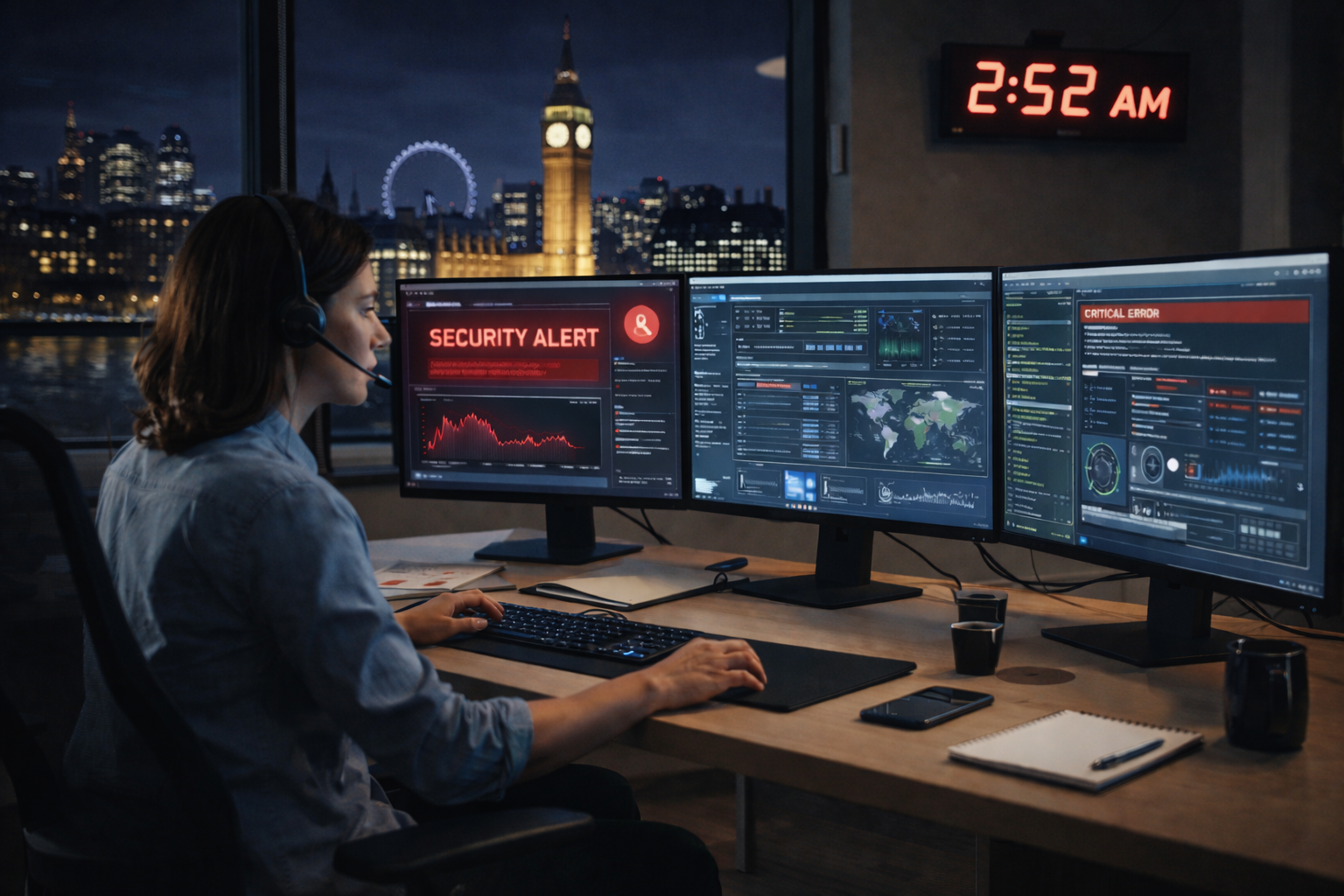
In simple terms, 24/7 IT monitoring means automated tools watching your systems all day and night, raising alerts to an IT team when something looks wrong. It is not a room full of engineers staring at screens at 3 AM. Instead, it is software doing the heavy lifting, with people stepping in when action is needed.
The Core Elements
A typical monitoring setup includes several key components working together:
Small software tools installed on servers, PCs, firewalls, and cloud services to collect performance and health data
A single, unified view where your IT partner or support team can see the status and health of all systems in real time
Automated email, SMS, or app notifications triggered when performance or security thresholds are breached
Clearly defined rules that determine who is contacted immediately (yes, even at 2 AM) and what issues can wait until business hours
Concrete Examples of What Gets Monitored
To make this practical, here are some real scenarios that 24/7 monitoring would catch:
- Microsoft 365 sign-in anomalies – A user account suddenly logs in from three countries in one hour, suggesting compromised credentials
- Firewall intrusion attempts – Repeated failed connection attempts from unknown sources overnight
- Disk space on a file server – A 2019 Windows Server filling up before it causes Monday morning chaos
- Failed overnight backups – A backup job to Azure that has silently failed for three nights running
Types of Monitoring
Not all monitoring is the same. Most providers break it into three broad categories:
- Infrastructure health – CPU usage, memory, disk space, network availability
- Security monitoring – Antivirus status, patch levels, unusual logins, malware protection alerts
- Application monitoring – Line-of-business apps, websites, databases, and services apps your team relies on
An important clarification: “24/7” does not always mean instant fixes at 2 AM. Often it means the issue is detected and logged with appropriate priority, ready for the next available engineer unless it is genuinely business-critical. Most SMEs do not need a full security operations centre; they need sensible alerting and a clear escalation path.
Do Small Businesses Really Need 24/7 IT Monitoring?
Here is the direct answer: very small, 9-to-5 office-based firms may cope perfectly well with extended-hours monitoring. But businesses that trade online, run multi-site operations or handle sensitive data almost always benefit from true round-the-clock coverage.
A simple rule of thumb helps frame this decision. If an hour of downtime would cost more than a few days of monitoring fees, 24/7 cover is worth considering. For a company where an outage means staff make an extra cup of tea, the maths looks different than for an e-commerce site losing orders at 11 PM.
Real SME Scenarios
Example: When do different businesses need 24/7 monitoring?
- 40-seat call centre with evening shifts
Staff: 40
24/7 monitoring: Yes
Why: Systems must remain reliable until late evening and overnight issues can disrupt the following morning’s operations.
- Small e-commerce retailer
Staff: 8
24/7 monitoring: Yes
Why: Orders and payments happen around the clock, so website or system downtime directly impacts revenue.
- Regional logistics firm with overnight deliveries
Staff: 25
24/7 monitoring: Yes
Why: Dispatch, tracking and routing systems run overnight and are critical to maintaining supply chain continuity.
- 12-person accountancy practice
Staff: 12
24/7 monitoring: Probably not required
Why: Operates mainly 9–5 with limited overnight processing, but still benefits from strong daytime monitoring and security controls
Many SMEs already have basic monitoring bundled into a managed IT support contract. The catch is that owners often do not realise exactly what is and isn't watched outside office hours. A firewall might be monitored continuously, but a critical line-of-business application might only get checked during the working day.
Action point: Check your current IT support agreement for specific wording around monitoring hours, alert response times, and which systems are actually covered. If the answer is vague, ask for clarity.
When is 24/7 Monitoring Clearly Worth It for an SME?
- Online sales outside office hours – If customers buy at midnight, your site must stay up at midnight
- UK-wide staff working flexibly on Microsoft 365 – Remote access means cyber threats do not wait for 9 AM
- Production systems running overnight – Manufacturing, logistics, or data processing that continues after staff leave
- Contracts with specific SLAs – Clients who require high availability or will penalise downtime
- Regulated data handling – Financial records, healthcare data, or legal files often require continuous compliant security monitoring
Regulatory and Insurance Considerations
Cyber insurance providers increasingly ask about monitoring arrangements before quoting. For firms handling sensitive data, UK GDPR expects appropriate technical measures, which often includes some form of logging and oversight. The National Cyber Security Centre recommends proactive approaches to security, not just reactive fixes after a breach.
The 23:30 Friday Ransomware Scenario
A common pattern in cyber attacks: ransomware is deployed late on a Friday evening. Attackers know most businesses have gone home. Without monitoring, the malware spreads quietly through the network all weekend.
With 24/7 monitoring in place, the story changes. Automated tools detect unusual file encryption activity within minutes. An alert fires to an on-call engineer who isolates the affected machine remotely. By Saturday morning, the threat is contained. One machine needs restoring from backup, not the entire company.
Research suggests proactive monitoring can reduce breach impact by around 50% and cut recovery time from days to hours.
Even a small firm with fewer than 20 users might justify 24/7 monitoring if they rely heavily on remote access, cloud line-of-business apps, or run a customer-facing portal that must stay online. The cost of a breach or extended outage often dwarfs the monthly monitoring fee.
When Might Office-Hours or “Light” Monitoring Be Enough?
Not every micro-business needs 24/7 coverage. Some can operate safely with robust daytime monitoring combined with strong cyber security hygiene.
Businesses Where Reduced Coverage May Work
- Small professional services – A 6-person consultancy working 09:00–17:30 with no client-facing systems outside hours
- Shops with simple point-of-sale – Standalone tills and minimal network complexity, no remote access
- Charities with limited budgets – Low technical complexity and manageable cyber security risks
- Trades businesses – Electricians, plumbers, or builders where IT supports admin but is not revenue-critical
Minimum Protections Still Required
Even without full 24/7 coverage, certain protections should remain in place including:
- Automated patching - keeping operating systems and applications secure and up to date without relying on manual intervention
- Monitored antivirus / EDR - provides malware and threat protection with alerts that are actively reviewed and acted on, not just logged on
- Managed backup with daily checks - ensures critical data can be reliably restored if systems fail, are corrupted, or hit by ransomware
- Alerting on major issues - flags problems such as failed backups, low disk space, or offline servers so they’re addressed before they cause disruption
The “Light 24/7” Approach
Some SMEs choose a middle ground. Only core services - firewall, Microsoft 365, a key server or ERP system - are watched out of hours. Everything else waits until morning. This keeps costs predictable while protecting the most critical infrastructure.
A word of caution: avoid relying solely on “we’ll look at it on Monday” for backups, firewalls, or remote access. Weekend or evening failures can quietly undermine your resilience without anyone noticing until it is too late.
What Does 24/7 Monitoring Actually Do for Your Business Day-to-Day?
Here is what a typical week looks like in a monitored SME environment.
Early Warning Benefits
Monitoring spots problems before they become outages:
- A file server disk filling up gets flagged days before it causes downtime
- A failing hard drive triggers a replacement before data is lost
- A line-of-business application crashing repeatedly overnight gets investigated before it disrupts Monday morning
The Cyber Security Angle
Security monitoring catches threats that happen when staff are not watching:
- Repeated failed logins to Microsoft 365 from overseas IP addresses trigger investigation
- An unusual VPN connection at 01:00 from an unexpected location raises an alert
- Malware blocked by endpoint protection on a staff laptop taken home gets logged and reviewed
These are exactly the kind of cyber threats that slip through without continuous oversight. The effective cyber security advice from the National Cyber Security Centre emphasises that common cyber attacks often exploit moments when defences are weakest.
Operational Wins
Beyond security, day-to-day IT operations run more smoothly:
- Backups to cloud solutions complete successfully each night, verified automatically
- Remote workers can log tickets quickly, knowing the support team will see them
- IT teams can schedule patching and restarts at agreed quiet times
- Microsoft Teams and other collaboration tools stay available for hybrid workers
Proactive monitoring reduces the number of “mystery” outages staff experience. It helps your IT partner resolve root causes rather than repeatedly firefighting symptoms.
Costs, Contracts and Levels of 24/7 Monitoring for SMEs
Common Monitoring Modelss
What it includes: Flags problems such as failed backups, low disk space, or offline servers so they’re addressed before they cause disruption
What it includes: Key systems monitored 24/7 with on-call escalation for critical issues
Typical use case: Medium-risk SMEs with some overnight exposure or extended operating hours
What it includes: A dedicated security operations centre providing real-time response, threat hunting, and advanced detection
Typical use case: Regulated industries, e-commerce businesses, and high-value cyber targets
Realistic Cost Ranges
UK SMEs typically encounter pricing structured per-user or per-device:
- Basic IT support with daytime monitoring: Often £30–£100 per user per month
- Adding 24/7 critical-system monitoring: May add £20–£50 per user per month
- Full managed security with 24/7 response: Can reach £100–£200+ per user per month for comprehensive coverage
These figures vary significantly based on complexity, number of sites, and the service provider’s approach. The key is understanding what each tier includes.
Questions to Ask Your IT Provider
Before signing any contract, clarify these points:
- What exactly is monitored? – Servers only, or endpoints and cloud services too?
- Which hours does monitoring cover? – True 24/7, or extended hours with gaps?
- Who responds to alerts? – Is there a dedicated account manager or on-call engineer?
- What counts as a “critical” incident? – What wakes someone up at 3 AM versus waiting until morning?
- Is out-of-hours work included or billed separately? – Some contracts charge extra for responses after 6 PM
The Cost Comparison That Matters
Compare the approximate annual cost of 24/7 monitoring with the potential cost of:
- A full day of business outage
- A ransomware incident requiring forensic recovery
- Losing access to key systems during a peak trading period
Industry estimates suggest even modest SMEs face £8,000–£10,000 per hour in losses during serious outages. A month of monitoring fees starts to look cost effective against that backdrop.

Common Pitfalls and Misconceptions About 24/7 Monitoring
“We Use Microsoft 365, So We Don’t Need Monitoring”
This is one of the most common misconceptions. Microsoft handles the infrastructure, but you remain responsible for:
- Who accesses your data and from where
- Configuration changes that might expose information
- Data loss prevention and backup of your content
- Detecting compromised accounts
Research indicates around 40% of cloud breaches stem from misconfigurations that need constant checks. Moving to the cloud does not eliminate the need for monitoring; it shifts what needs watching.
“We Have Antivirus, So We’re Covered”
Having antivirus or a firewall is not the same as having monitoring. These tools generate alerts, but someone still has to:
- Review those alerts regularly
- Investigate patterns and anomalies
- Act on warnings promptly
- Update rules and policies as threats evolve
Without this human element, alerts pile up unread. Genuine warnings get missed in the noise.
“Our IT Person Checks the Logs”
Relying on a single in-house “IT-savvy” staff member to check logs occasionally rarely provides reliable coverage. What happens when they:
- Go on holiday?
- Call in sick?
- Leave the company?
- Get busy with other priorities?
True 24/7 coverage requires structured processes, not just a willing individual with the technical requirements knowledge.
Alert Fatigue: The Hidden Risk
Low-quality monitoring setups that generate constant noise create a different problem. When every alert seems minor, genuine warnings get dismissed. A secure configuration requires tuned thresholds and clear processes, not just more alerts.
The Cyber Essentials scheme and Cyber Essentials certification guidance emphasise that organisations need practical, actionable security measures - not just tools that generate data no one reviews.
How to Decide the Right Level of IT Monitoring for Your Business
This section offers a step-by-step approach that a non-technical owner or manager can complete in under an hour.
Step 1: Map Critical Systems and Processes
List the IT systems your business genuinely cannot function without:
- Email and calendar (usually Microsoft 365)
- Line-of-business applications (accounting, CRM, ERP)
- File storage and document access
- Customer-facing websites or portals
- Remote access tools for hybrid workers
Step 2: Estimate the Impact of Downtime
For each critical system, consider:
- What happens if it fails at 10 AM on a busy Tuesday?
- What happens if it fails at 10 PM on a Saturday?
- How long could you cope before serious business impact?
If overnight or weekend failures would cost significant revenue or reputation damage, 24/7 monitoring moves from optional to essential.
Step 3: Review Legal and Contractual Obligations
Check whether your business has:
- Client contracts requiring specific uptime guarantees
- Regulatory obligations around data protection and access control
- Cyber insurance policies with monitoring requirements
- Supplier agreements that depend on your systems being available
Creating Your Priority List
Divide systems into two categories:
Must-monitor 24/7
- Firewall and network security
- Main file server
- Microsoft 365 tenant
- Line-of-business applications
Nice to have
- Individual workstations
- Printers and peripherals
- Development or test systems
- Archive storage
This focus helps stretch budgets to cover real cyber security risks while accepting some overnight gaps on less critical infrastructure.
Getting Expert Input
Speak with your current IT provider or a prospective managed service provider. Ask for a plain-English explanation of monitoring options, including an honest view on whether full 24/7 is proportionate for your specific needs and business goals.
Good providers will not push enterprise-grade coverage on a 10-person company that works 9–5. They will help you find the right balance.
If you are unsure whether your current setup covers key systems outside office hours, an independent IT review or health check can highlight gaps quickly and help avoid both overspending and under-protection.
FAQs: 24/7 IT Monitoring for Small Businesses
Is 24/7 IT monitoring the same as a 24/7 helpdesk?
Not quite. Monitoring often runs continuously, with automated systems checking your infrastructure around the clock. However, live phone support may still operate during office hours, with on-call escalation for genuine emergencies outside those times. Some providers offer true 24/7 helpdesk access but this typically comes at a higher price point.
Do we still need 24/7 monitoring if everything is in the cloud?
Yes, in most cases. Cloud providers like Microsoft handle their infrastructure, but you remain responsible for account security, access control, and data protection within your tenant. Monitoring sign-in patterns, configuration changes and unusual activity remains your responsibility. Shared responsibility means the cloud does not eliminate cyber threats - it shifts them.
How much does 24/7 monitoring typically add to an IT support contract?
This varies by provider and complexity, but adding 24/7 coverage for critical systems often adds £20–£50 per user per month to a base support contract. Full security monitoring with real-time response from a dedicated team can push costs higher. The right question is whether that monthly spend is less than the cost of a single serious outage.
Can a small in-house IT person handle monitoring on their own?
In theory, yes. In practice, a single person cannot provide true 24/7 coverage. Holidays, sickness, weekends, and competing priorities create gaps. Many SMEs with internal IT staff choose co-managed arrangements where an external provider handles overnight monitoring and escalation, giving hands on support when the in-house team is unavailable. This keeps expertise in-house while ensuring coverage does not depend on one person never being off.
What happens if we do nothing and just fix problems as they arise?
The break-fix approach - only addressing issues after they cause disruption - typically costs more over time as you pay emergency rates during crises, experience more downtime and have less visibility into building problems.
Proactive monitoring reduces surprise outages and often proves more cost effective than repeated firefighting, especially when you factor in lost productivity and customer impact.
Need some help?
If you are unsure whether your current I.T set-up is genuinely supporting your business or quietly exposing it to unecessary risk, a short independent review can help make things much clearer.
Serveline works with SME's with 10-250 Employees, helping simplify IT, reducing disruption and making sure the basics are genuinely covered (not just assumed) - giving business owners peace of mind. Click HERE to request a free review.


%20(1).webp)



-svg.webp)

