.avif)


Key Takeaways
- For a UK SME, including medium sized organisations, “enough” cyber security usually means meeting or exceeding Cyber Essentials, backing up data daily and training staff at least once a year.
- Most SMEs in 2025 do not need enterprise-level tools, but they do need basic protections like multi-factor authentication, patching and secure backups as a minimum.
- Spend of roughly 3–7% of IT budget on cyber security is a realistic benchmark for many SMEs, adjusted for risk and regulatory pressure.
- If an SME can survive a ransomware attack, email compromise, or lost laptop without major disruption, its cyber security is usually “enough”.
- The goal is not more tools - it’s reducing the impact of the most likely incidents so the business can keep trading.
What Does “Enough” Cyber Security Look Like for an SME?
For most UK SMEs, “enough” cyber security means protecting cash flow, customer data and daily operations against the most common cyber attacks - phishing, ransomware, account compromise and device loss. It does not mean matching enterprise-grade defences or buying every tool on the market. The practical test is straightforward: can your business recover quickly from the incidents that actually happen to organisations your size?
A minimum baseline for most SMEs and any UK organisation includes:
- Meeting the five Cyber Essentials controls (or working towards Cyber Essentials certification, which is specifically designed for UK organisations)
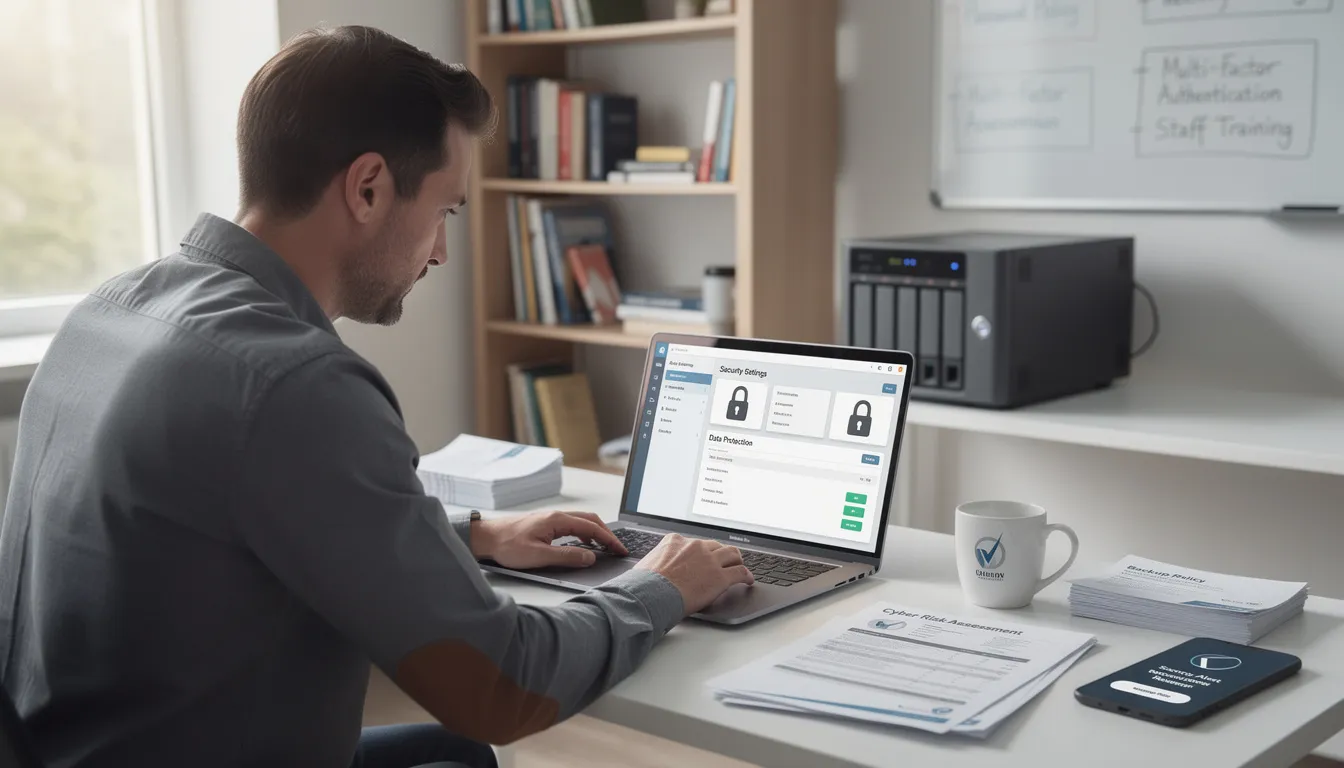
- Multi-factor authentication on email, cloud services and remote access
- Daily offsite or cloud backups that are regularly tested
- Basic staff awareness training, at least annually
The cyber security risks facing SMEs are real, but manageable. Research consistently shows that stolen credentials are the most common entry point for attackers, according to the 2023 Verizon Data Breach Investigations Report. This means your priority should be protecting accounts and access, not building a fortress around every system.
Keep in mind that “more tools” is rarely the answer. The goal is reducing the impact of the most likely incidents so your business can keep trading - not achieving perfect security, which doesn’t exist.
How to Decide Your Cyber Security Baseline
There is no one-size-fits-all answer to how much cyber security your SME needs. Your baseline depends on your sector, turnover, the types of data you handle (payroll, health data, customer records), and your contractual obligations to customers and suppliers.
Here’s how to start mapping your own requirements:
- List your 3–5 business-critical systems (e.g. Sage, QuickBooks, Microsoft 365, your CRM or a line-of-business app). For each one, ask: what happens if this is down for three days?
- Map the most likely incidents: ransomware encrypting your file server, a Microsoft 365 account hacked, a lost or stolen laptop or a supplier breach affecting shared data.
- Check external drivers: look for cyber clauses in customer contracts, insurance policy requirements and any regulatory frameworks (GDPR, FCA, ISO expectations or supply chain obligations).
- Use the National Cyber Security Centre guidance and the Cyber Essentials scheme as your practical starting point for UK organisations up to around 250 staff. If you certify your whole organisation to Cyber Essentials and meet the eligibility criteria, you may receive automatic cyber liability insurance as part of the process.
The Cyber Essentials controls cover five key areas: secure configuration, access management, malware protection, patch management and firewalls. For most SMEs meeting these controls puts you ahead of the majority of small businesses and satisfies most customer and insurer expectations.
The Essential Cyber Essentials Controls Almost Every SME Should Have
These are the non-negotiables in 2025 for most SMEs. They won’t make you bulletproof, but they address the most common cyber attacks and satisfy baseline expectations from insurers, customers and regulators.
Secure User Access
- Unique accounts for every user - no shared logins
- Strong passwords or passphrases (at least 12 characters, ideally using a password manager)
- Multi-factor authentication on email, VPN, remote access and any system containing sensitive data
- Prompt removal of access when staff leave (automated onboarding and offboarding if possible)
Device Security
- Supported operating systems (Windows 11, macOS still in support)
- Centrally applied security updates - automatic patching is essential, since many major ransomware attacks exploit systems that are months or years out of date
- Endpoint protection: Microsoft Defender security capabilities are included free with Windows and provide solid malware protection; for those with budget, Microsoft Defender advanced security or commercial EDR tools add more visibility.
Microsoft 365 security features allow users to work on multiple devices simultaneously, supporting use on up to five devices per person. Mobile versions are available for iOS and Android, ensuring secure access across PC, Mac, iPhone, iPad, and Android devices.
Data Protection
- Encrypted laptops and phones (full disk encryption is transparent to users and built in to modern devices)
- Daily verified backups stored offsite or in a separate cloud, following the 3-2-1 rule: three copies of data, on two different media, one offsite
- Regular test restores at least quarterly - untested backups are not backups
- Secure cloud storage for critical files using Microsoft Teams or similar platforms with proper access controls
Email and Web Security
- Spam and phishing filtering in Microsoft 365 (use the built-in protections and Safe Links/Safe Attachments if available on your licence)
- Block obviously risky sites and categories through DNS filtering or your firewall
- Consider advanced email protection if you handle high-value transactions or sensitive data
Basic Governance
- An up-to-date, plain-English IT and cyber policy that staff actually read
- A named person responsible for cyber - this doesn’t have to be a technical role
- At least annual cyber awareness training for all staff, covering phishing, password hygiene, and how to report suspicious messages
When Do You Need to Go Beyond the Basics?
Some SMEs genuinely need more than Cyber Essentials-level protection. The difference usually comes down to the data you handle, the customers you serve and the contracts you sign.
Triggers for Enhanced Security
- Handling sensitive personal data at scale (e.g. health records, financial information)
- Processing card payments online (PCI-DSS requirements)
- Supplying to government or large enterprises with strict security clauses in contracts
- Operating in regulated sectors: law firms, healthcare providers, financial services, manufacturers with OT/industrial systems
- Online retailers storing lots of customer data across multiple devices and smart devices
Additional Measures to Consider
– Best suited for regulated sectors or organisations that are high-value cyber targets
– Worth considering if the business experiences frequent phishing attempts or handles high-value financial transactions
– Ideal for remote-heavy workforces and businesses managing sensitive or confidential data
– Often required for compliance purposes or when working with large enterprise or public-sector customers
– Essential for any business handling personal data at scale, where rapid, consistent response is critical
Cyber insurance providers may also require extra controls - such as offline or immutable backups, MFA everywhere and privileged access management - before they will offer cover or competitive premiums.
The good news is that many SMEs can phase these measures in over 12–24 months rather than buying everything at once. Prioritise based on your highest risks and work through a readiness tool or gap assessment to sequence your investments.
How Much Should an SME Spend on Cyber Security?
There is no magic number, but a realistic benchmark is that many SMEs allocate around 3–7% of their overall IT budget specifically to cyber security tools, services, and training. This includes endpoint protection, secure cloud storage, backup solutions and staff awareness programmes. If you use Microsoft 365 licenses, remember that subscriptions are managed through your Microsoft account and will automatically renew unless cancelled via the Microsoft account portal.
A Simple Example
A 40-person business spending £60–80k a year on IT might reasonably invest:
– Typically £2,000–£5,000 per year depending on user count and protection level
– Around £3,000–£7,000 annually for ongoing monitoring, advice, and incident support
– Usually £500–£1,500 per year for regular cyber security training and phishing awareness
– Approximately £300–£500 annually for assessment and certification costs
Compare this to potential losses: several days of downtime, ransom payments (even if you don’t pay, recovery is expensive), reputational damage and fines for losing personal data under GDPR.
Where to Prioritise Spend
- Multi-factor authentication (often free with IOS and android apps like Microsoft Authenticator)
- Email and endpoint security (often included in Microsoft 365 Business Premium)
- Robust, tested backups with at least one immutable or offline copy
- Staff awareness training (short, focused sessions work better than lengthy annual courses)
Note that using existing Microsoft 365 licenses properly often delivers good protection without huge extra cost. Features like calendar ongoing support, secure cloud storage word, and files Microsoft Teams are already included - you just need to configure them correctly. Microsoft 365 Copilot and select Copilot features can also help with everyday AI companion tasks, but security configuration is the priority.
Signs Your Current Cyber Security Risks Might Not Be Enough
It can be hard to judge your own security objectively. Here are some concrete warning signs that suggest your protection may have gaps:
Clear Red Flags
- Shared logins for key systems (accounting, CRM, email)
- Staff using personal email or a personal account for work
- No one is sure when backups were last tested - or if they work at all
- No MFA on Microsoft 365, remote desktop open to the internet, or unsupported Windows versions still in daily use
- Sensitive data stored on unsecured USB drives or local devices without encryption
Operational Clues
- Frequent phishing emails reaching inboxes without being filtered
- Staff unsure how to report suspicious messages
- No documented process for handling an incident
- No clear owner for cyber security decisions
- The last proper security review was more than 18–24 months ago
If two or more of these warning signs apply, an independent cyber review or Cyber Essentials readiness assessment is a sensible next step. Effective cyber security advice from an external partner can often spot gaps you’ve become blind to.

Practical First Steps to Get to “Enough” Cyber Security
This is a simple action plan for a non-technical manager. You don’t need to do everything at once - work through these steps over the next 30–90 days.
- Appoint a single internal owner for cyber - not necessarily technical. Give them time to coordinate actions and authority to make decisions.
- Run a quick, structured assessment against the latest Cyber Essentials requirements. List gaps for each control area: access control, secure configuration, malware protection, patching and firewalls.
- Enable multi-factor authentication on Microsoft 365, VPN and any remote access services. This can often be done within a week using free authenticator mobile apps (Microsoft Authenticator works on android phones and iOS). CISA data indicates MFA blocks 99% of automated attacks.
- Review backup arrangements. Ensure at least one copy is immutable or offline with test restores scheduled and logged. Check that your backup covers your service provider platforms, not just local files.
- Roll out short, focused phishing and password training to all staff. Repeat at least annually and include new starters. Training should be practical - human error causes the majority of successful attacks.
- Agree a simple incident response checklist. Cover who to call (IT support, legal counsel, insurance, law enforcement), how to isolate devices and when to notify customers or regulators. Make sure staff know where to find it.
- Schedule an annual external review of security controls. Align this with cyber insurance renewal or financial year-end. An external perspective helps you stay ahead of evolving threats and changing technical requirements.
Knowledge Hub for SMEs
Navigating the world of cyber security can feel overwhelming for many small and medium-sized businesses, but the Knowledge Hub is designed to make it easier. This trusted resource brings together the latest guidance, practical tools and expert advice to help SMEs strengthen their defences against cyber security risks.
At the heart of the Knowledge Hub is support for the Cyber Essentials certification - a UK Government-backed scheme that helps organisations guard against the most common cyber attacks. By working towards Cyber Essentials certification, SMEs not only protect their sensitive data but also demonstrate their commitment to cyber security to customers, partners and insurers. The Knowledge Hub provides step-by-step assessment questions, clear guidance documents and readiness tools to help you understand and meet the requirements of the Cyber Essentials scheme.
The Knowledge Hub also draws on the expertise of the National Cyber Security Centre (NCSC), offering effective cyber security advice tailored to the needs of UK organisations. You’ll find best practices on access management, data encryption and secure cloud storage - key defences for keeping your business-critical information safe. Whether you’re looking to secure files in the cloud, manage user access or protect sensitive data from common cyber attacks, the Knowledge Hub has you covered.
For SMEs using Microsoft 365, the Knowledge Hub highlights how to make the most of built-in intelligent features like Microsoft Defender. These tools offer robust protection against malware and phishing, while secure cloud storage and access controls help keep your data safe and compliant. With practical, easy-to-follow resources, the Knowledge Hub empowers you to take control of your cyber security and stay ahead of evolving threats.
By tapping into the Knowledge Hub, SMEs can confidently address cyber security risks, streamline their journey to Cyber Essentials certification and ensure their systems and data remain protected in a fast-changing digital landscape.
When to Ask for External Help
Reaching “enough” cyber security is achievable for most SMEs. The controls are not complex and many are free or low-cost. But it can be hard to judge your own gaps objectively - especially when you’re busy running a business.
Consider seeking an independent review from a trusted IT or cyber security partner if:
- You are preparing for Cyber Essentials certification or Cyber Essentials Plus
- Your cyber insurance provider is asking questions you’re not sure how to answer
- You’ve had a significant incident or there’s been a major change (new systems, acquisition, shift to remote working)
- You want practical support prioritising actions and making better use of existing tools like Microsoft 365
A brief, structured review often brings more clarity than buying another new security product. The goal is to know where you stand, close the biggest gaps and build confidence that your business can recover from the incidents that matter most.
FAQs
Do small businesses really need cyber security if we “don’t have anything hackers want”?
Most cyber attacks are automated and opportunistic - criminals don’t pick targets based on company name. They scan for weak passwords, unpatched systems and open remote access. Email accounts, bank details, payroll files and customer records are all valuable. Even a small data breach can trigger regulatory fines under GDPR and serious reputational damage with customers.
Is Cyber Essentials enough on its own for my SME?
For many SMEs, the Cyber Essentials scheme provides a strong baseline and is often the minimum expected by insurers and larger customers. However, some sectors - legal, financial, healthcare, government supply chains - will usually need additional controls like 24/7 monitoring, incident response plans and regular penetration testing. Check your contracts and regulatory guidance to confirm what’s required.
How often should we review our cyber security?
A light-touch review at least annually is sensible, with a more detailed assessment every 18–24 months or after any major change (new system, acquisition, shift to remote working). Threats and software evolve quickly, so a one-off project is never sufficient. Align reviews with your insurance renewal or financial year-end to make them easier to schedule.
Can we rely on Microsoft 365 security alone?
While Microsoft 365 includes strong built-in protections - especially with Business Premium or higher licences - and offers easy to use tools integrated into favourite apps like Word, Excel, PowerPoint and Outlook, it is not sufficient on its own to fully secure your SME. Microsoft Copilot, an AI-powered assistant available within these apps for certain subscriptions, enhances productivity but does not replace essential security practices.
Who in the business should be responsible for cyber security?
Responsibility should sit with senior management - often the operations manager, finance director, or owner - with practical support from IT staff or an external IT developer or service provider. Cyber risk is a business issue, not just an IT problem, because it directly affects revenue, customers and compliance. The named owner doesn’t need to be technical, but they do need authority to make decisions and coordinate actions across the business. Consider using a one cross functional notebook or knowledge hub to keep policies and contacts up to date.
Need some help?
If you are unsure whether your current I.T set-up is genuinely supporting your business or quietly exposing it to unecessary risk, a short independent review can help make things much clearer.
Serveline works with SME's with 10-250 Employees, helping simplify IT, reducing disruption and making sure the basics are genuinely covered (not just assumed) - giving business owners peace of mind. Click HERE to request a free review.



%20(1).webp)


-svg.webp)

